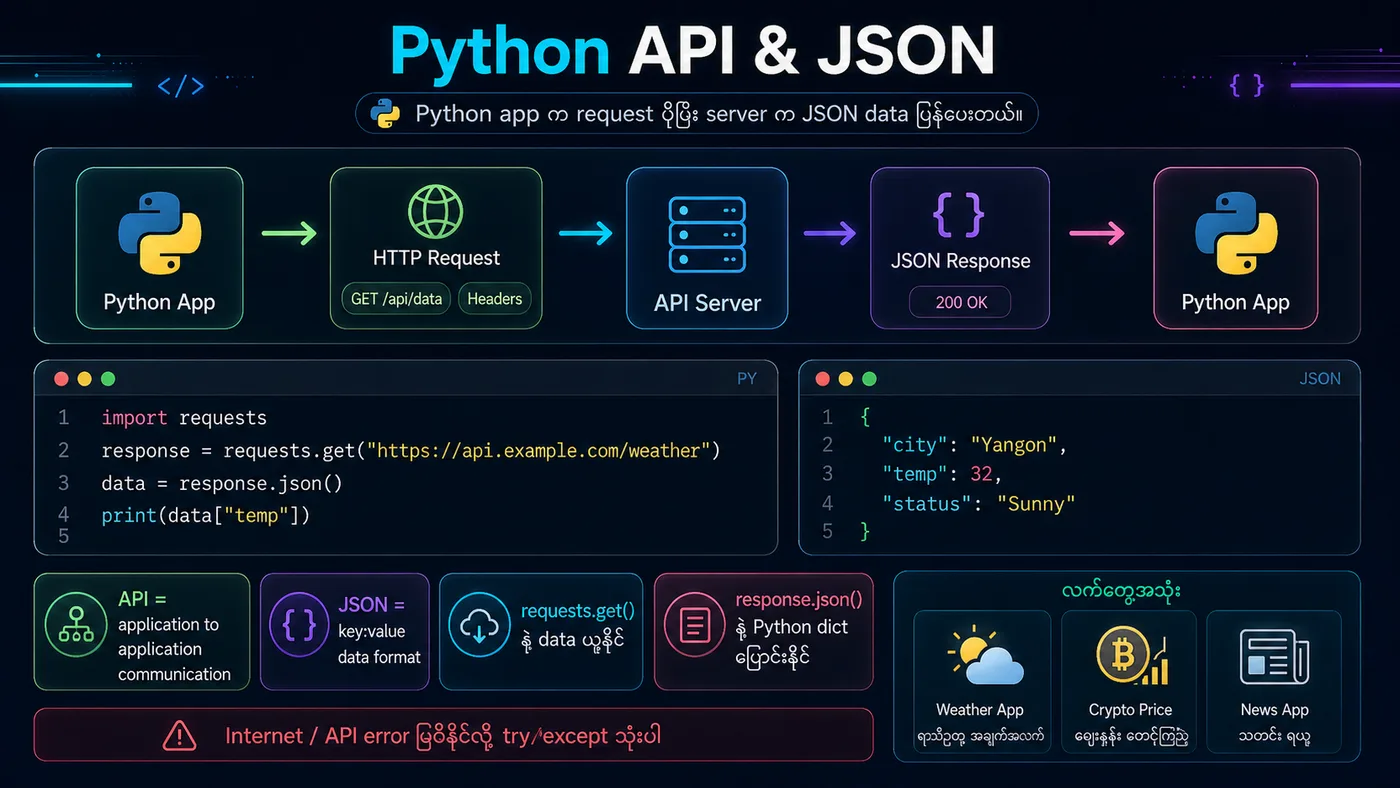
REST API Integration တွင် RESTful services များနှင့် interact လုပ်ခြင်းဖြစ်သည်။ Real-world applications များတွင် weather data, payment processing, social media integration စသည်တို့အတွက် သုံးသည်။
✨ Best Practices:
• Handle errors properly
• Check status codes
• Use timeouts
• Secure API keys
• Rate limiting awareness
python
# REST API Pattern (Simulated Example)
import json

class WeatherAPI:
    def __init__(self, api_key):
        self.api_key = api_key
        self.base_url = "https://api.weather.com"

    def get_weather(self, city):
        # Simulated API response
        weather_data = {
            "city": city,
            "temperature": 32,
            "condition": "Sunny",
            "humidity": 65
        }
        return weather_data

# Using the API
api = WeatherAPI("YOUR_API_KEY_HERE")
weather = api.get_weather("Yangon")

print(f"Weather in {weather['city']}:")
print(f"Temperature: {weather['temperature']}°C")
print(f"Condition: {weather['condition']}")
print(f"Humidity: {weather['humidity']}%")

# Error handling pattern
def safe_api_call(city):
    try:
        result = api.get_weather(city)
        return result
    except Exception as e:
        return {"error": str(e)}

print(f"\nSafe call: {safe_api_call('Mandalay')}")
You should see
Weather in Yangon: Temperature: 32°C Condition: Sunny Humidity: 65% Safe call: {'city': 'Mandalay', 'temperature': 32, 'condition': 'Sunny', 'humidity': 65}