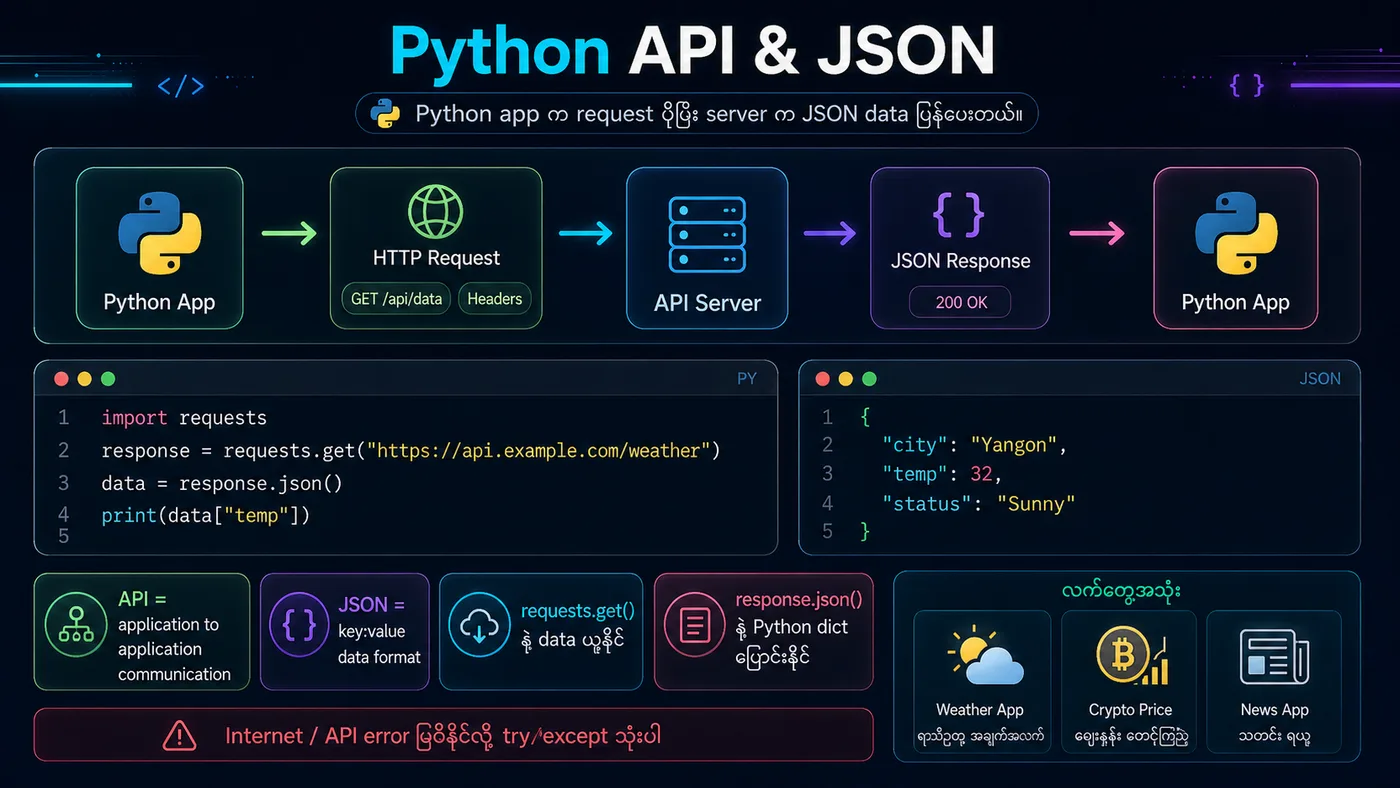
Requests Library သည် Python တွင် HTTP requests လုပ်ရန် အလွယ်ကူဆုံး library ဖြစ်သည်။ APIs များနှင့် interact လုပ်ရန် အသုံးပြုသည်။
⚡ Installation: pip install requests
🎯 Common Methods:
• requests.get()
• requests.post()
• requests.put()
• requests.delete()
python
# Requests library example (simulated)
# Note: This is demo code showing the structure

import json

# Simulating a GET request
class MockResponse:
    def __init__(self):
        self.status_code = 200
        self.text = '{"userId": 1, "id": 1, "title": "Sample Post"}'

    def json(self):
        return json.loads(self.text)

# Simulate API call
response = MockResponse()

print(f"Status Code: {response.status_code}")
print(f"Response JSON: {response.json()}")

# POST request example structure
post_data = {
    "title": "New Post",
    "body": "This is the content",
    "userId": 1
}
print(f"\nPOST Data: {post_data}")
You should see
Status Code: 200 Response JSON: {'userId': 1, 'id': 1, 'title': 'Sample Post'} POST Data: {'title': 'New Post', 'body': 'This is the content', 'userId': 1}